
AFRAME - Updates & getting more from the TASK Search page
AFRAME - Updates & getting more from the TASK Search page
YouTube Link: https://youtu.be/LLHuxXj_0AY
*See attached graphics that were shared within this video at the bottom of this blog
SECTION 1: Ready-to-Copy YouTube Description
In this training we explore the powerful new updates to the A-Frame Task Search page and show you how to transform your transaction coordination workflow from "reactive file management" to "highly scalable, freakishly predictable systems and workflow."
Whether you are a solo TC or managing a growing team, you'll learn how to build your operations manual directly into your daily workspace, slash context-switching, and keep your files moving both effectively and efficiently in a manner that is both scalable, duplicatable, and freakishly predictable.
📍 TIMESTAMPS / CHAPTERS
-
00:00 - Introduction & What’s New
-
00:56 - The 4 Power Icons Next to Address (Tasks, Dates, Attachments, Field Definitions)
-
01:42 - How to Manage Transactions Directly from the Task Search Page
-
02:44 - Rebuilding Your Task List as a Built-In Operations Manual
-
03:52 - Pro-Tip: Changing Your A-Frame Default Homepage to Task Search
-
05:50 - The Psychology of Color-Coding & Naming Conventions
-
08:13 - Daily Prioritization Strategy (The "1s and 5s" Focus)
-
10:52 - Breakdown of the 4-Part Task Naming Convention
-
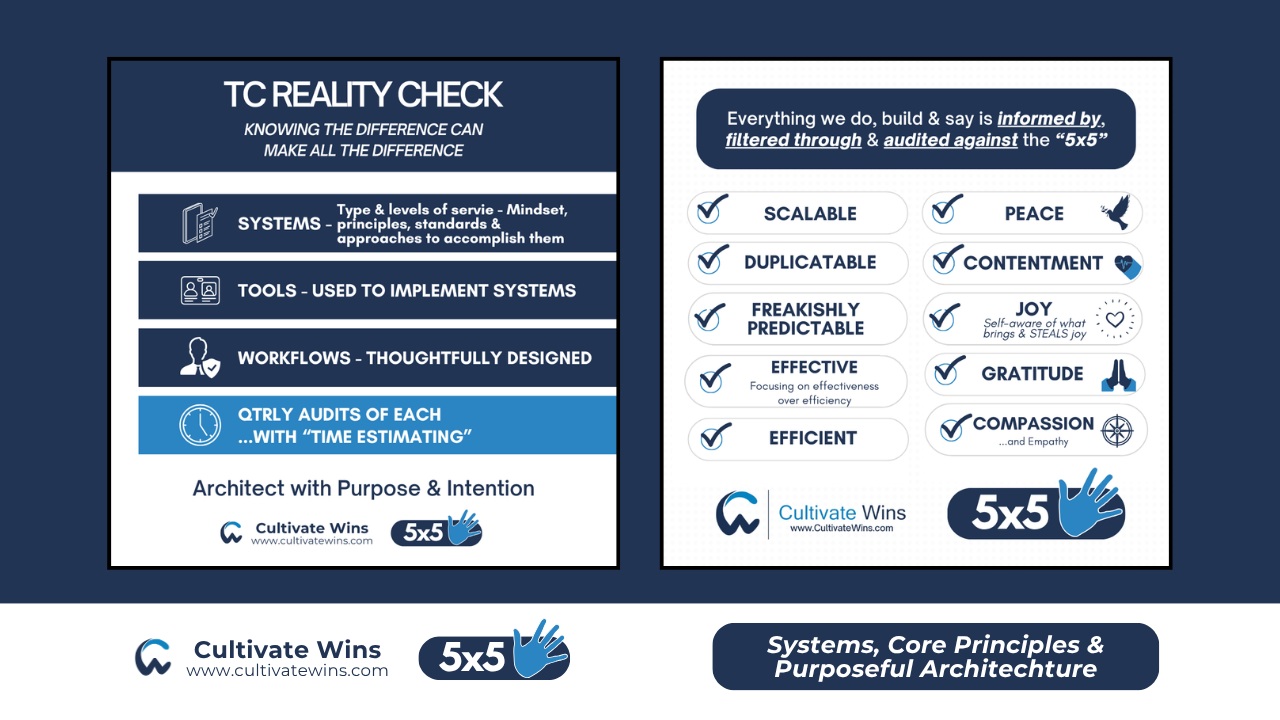
13:00 - Guaranteeing TC Success: Systems Over Memory & Intuition
-
17:15 - Field Definitions vs. Notes & The "30-Second Rule"
-
20:50 - Automating Email Drafts using Custom Field Merge Codes
-
25:32 - Google Calendar Integration as a Team Operations Manual
-
28:59 - Why Working Per-Address is NOT Scalable (The Power of Task Batching)
-
30:20 - Initial File Setup Workflow (Left-to-Right Method) & A-Frame Setup Services
🔑 KEY TAKEAWAYS FROM THIS VIDEO:
-
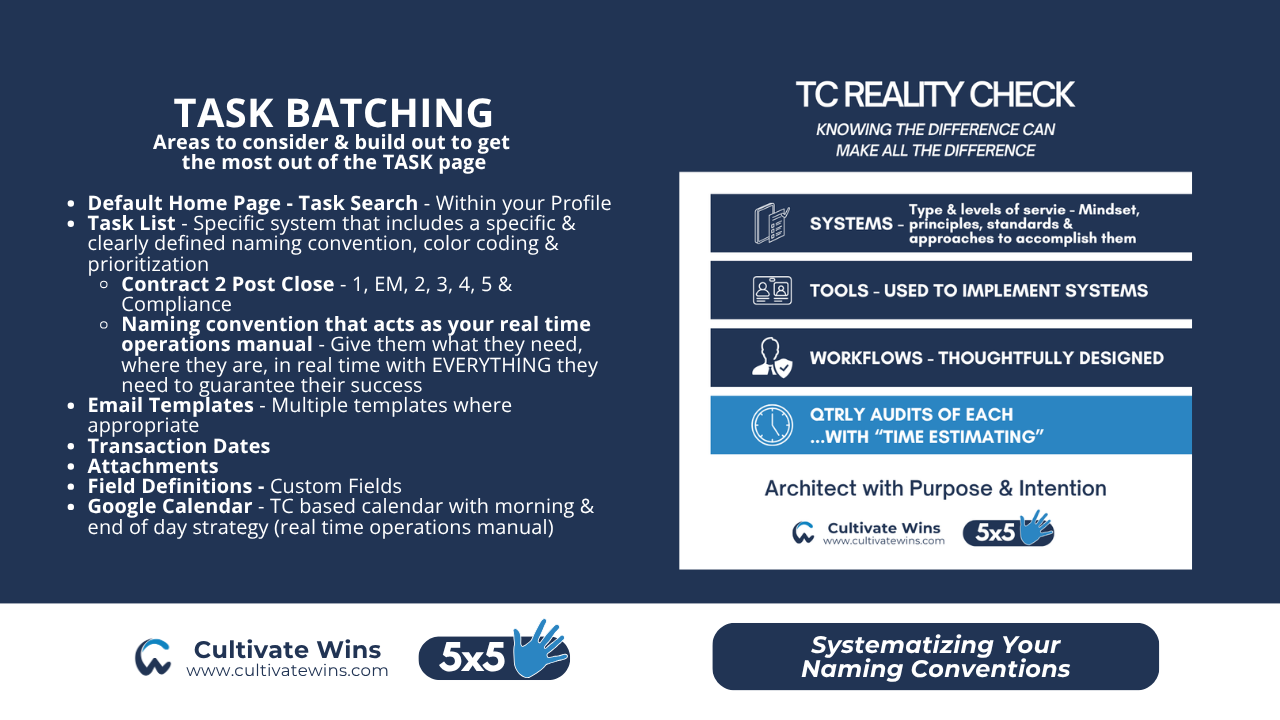
The Task Search Page is Your New Home: Stop opening multiple tabs per transaction. You can now access Tasks, Dates, Attachments, and Field Definitions in side-panel popouts directly from one central search page. Along with accessing your email templates and complete task descriptions for each task (acting as your real time ops and training manual).
-
The 30-Second Rule: If you or your team cannot find an answer to a question about a file in 30 seconds or less, your system, how it is being implemented into the tool and your workflow could be improved. Using clean, standardized Field Definitions instead of messy or random "Notes & Activities" makes this rule a reality.
-
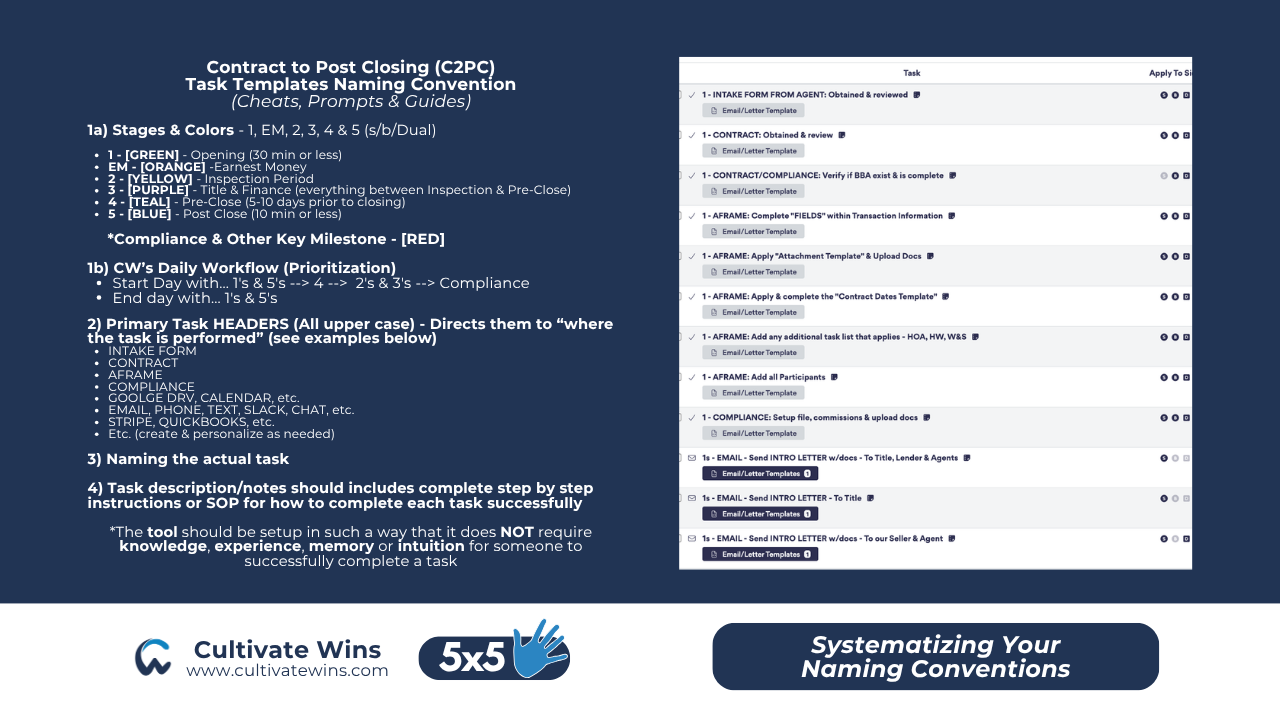
The 4-Part Task Naming Convention:
- Stage Number (1, EM, 2, 3, 4, 5 & Compliance) & Color coding
-
Location of where the action is being performed is in CAPS (e.g.,
INTAKE FORM,CONTRACT, AFRAME, EMAIL, etc.) -
Name of action Task to be completed (tells you what)
-
Notebook/Description (tells you how—treating descriptions as real-time training and ops manuals, along with links to any needed resources to guarantee the TC's success)
-
Systems > Knowledge, Experience, Intuition or Memory: TC success should never have to depend on knowledge, experience, intuition, or memory. Put instructions directly inside the task descriptions so anyone can execute flawlessly.
-
Task Batching Over Any Per Address or Property Based Systems/Approach: Working transaction-by-transaction is not scalable. Batching your tasks into categories (Openings, Inspections, Pre-Closing, Post-Closing, Compliance) allows you to manage 100+ files within a 40 hour per week time frame.
🛠️ WORK WITH US: A-FRAME SETUP SERVICES
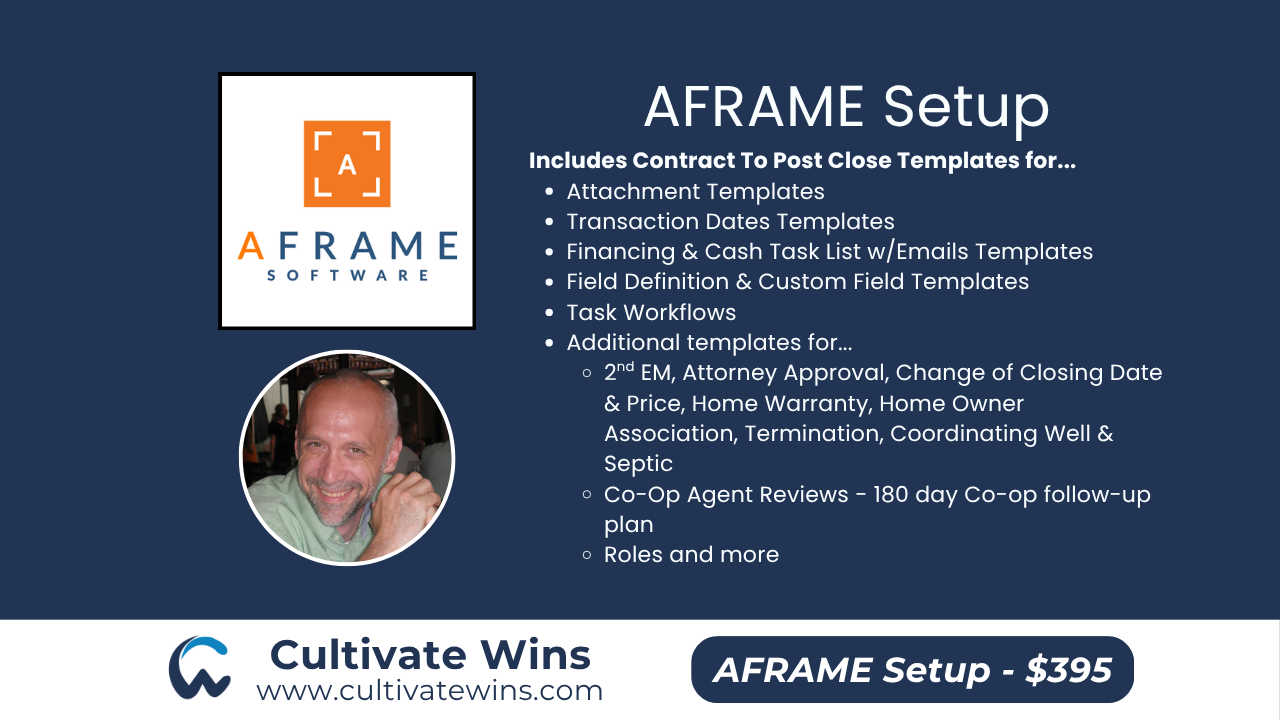
Ready to implement this exact system without the headache? We offer custom A-Frame Setups for $395, which includes:
-
Importing our high-converting task lists with standardized naming conventions.
-
Setting up your custom email templates.
- Custom Task Batching Workflows built out within your Task Search page
- 180 Co-Op Agent follow-up and lead generation systems included
-
A private 90-minute walk-through call to train you and your team on how to execute this exact workflow.
👉 Reach out to us today to schedule your setup! - https://www.cultivatewins.com/aframe
THE FOLLOWING IS A COPY OF THE GRAPHICS USED WITHIN THE VIDEO
https://www.cultivatewins.com/aframe
